Two-sided scans often come out with the backs at the end, and merged files rarely land in the right order. Reordering lets you move pages around until the PDF reads correctly.
How to reorder pages with PDF Keel
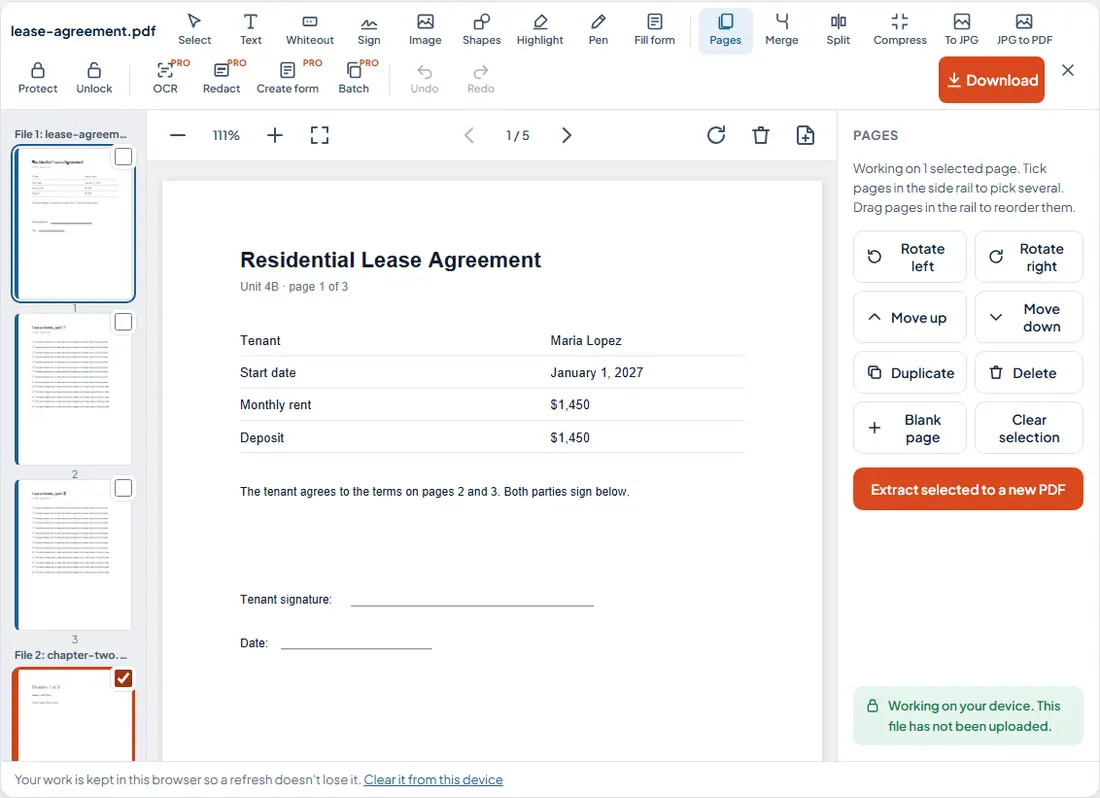
- Open the PDF. Every page shows as a thumbnail in the side rail.
- With a mouse, grab a thumbnail and drag it. An orange bar shows where it will land.
- On a phone, press and hold a thumbnail for a moment, then drag.
- To move a group, tick several pages and drag any one of them.
- Prefer buttons? Use Move up and Move down in the Pages panel.
- Download the reordered PDF.
What it can't do
There is no automatic sort by page number or date. The editor does not read the printed numbers on your pages. Bookmarks are not kept after reordering.
Tip
For a long document, zoom the rail out of the way and work in steps: first move whole files with the Merge panel arrows, then fix single pages by dragging.
Questions
Does reordering change my pages?
No. The pages are copied as they are. Only their order in the file changes.
Can I put a blank page between sections?
Yes. Press Blank page in the Pages panel and it appears after the current page.
I moved the wrong page. Now what?
Press Undo or Ctrl+Z to put it back.