A fillable PDF has boxes that other people can type into, tick, or pick from. You might want one for a sign-up sheet, an intake form or an order form. Building those fields is a Pro tool that is on its way.
How to create fillable with PDF Keel
- Open the PDF that should become a form. Free tools already work on it.
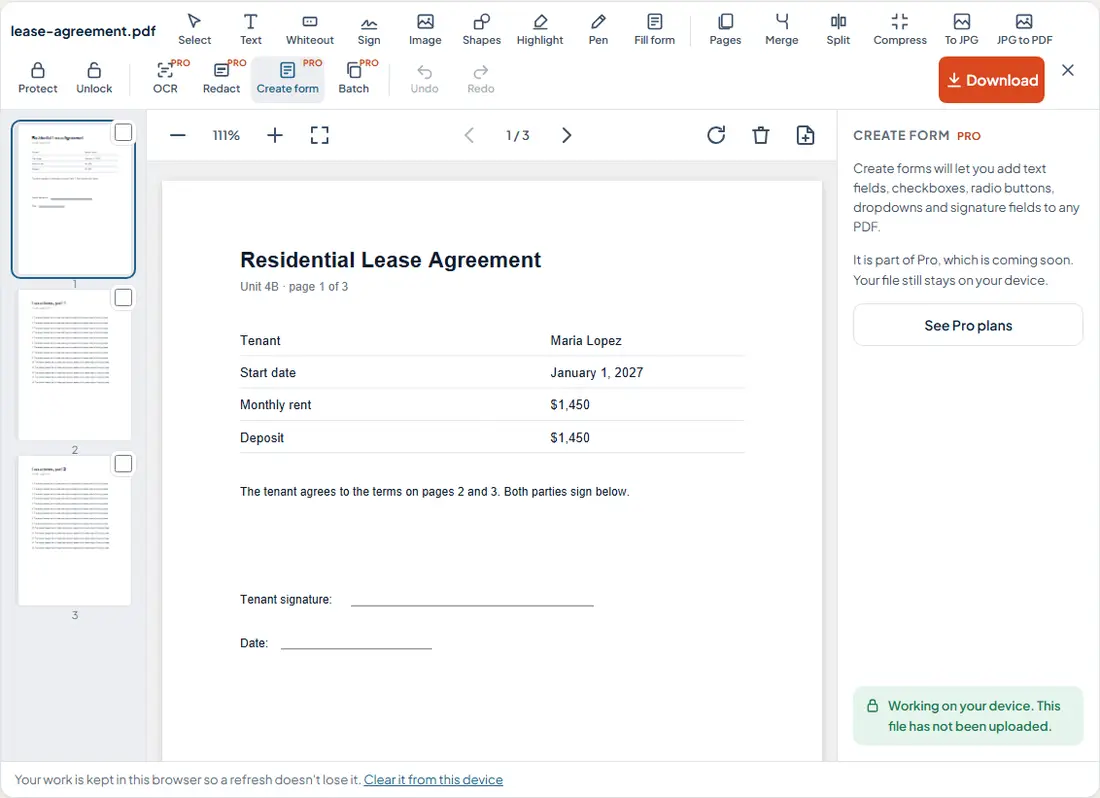
- Pick Create form in the toolbar to see the plan. It is marked PRO.
- At launch you will draw text fields, checkboxes, radio buttons, dropdowns and signature fields onto the page.
- Each field will get a name, so answers can be read by any PDF reader.
- Download, and anyone can fill it in, including with the free Fill form tool here.
What it can't do
Creating fields is not available yet. Today you can fill forms that already have fields, or type on any page with the Text tool. Calculated fields and form scripts are not planned for the first version.
Tip
Plan your form on paper first: list each question, its answer type, and whether it is required. Setting up the fields goes much faster with a list.
Questions
Can I fill forms for free?
Yes. The Fill form tool is free and works with text boxes, checkboxes, radio buttons and dropdowns.
Will people need PDF Keel to fill my form?
No. The fields will be standard PDF form fields that work in any reader.
When will it be ready?
It is being built. Check the pricing page for news on Pro.